Peplink core technology
SpeedFusion – Bonding, Smoothing and Hot Failover
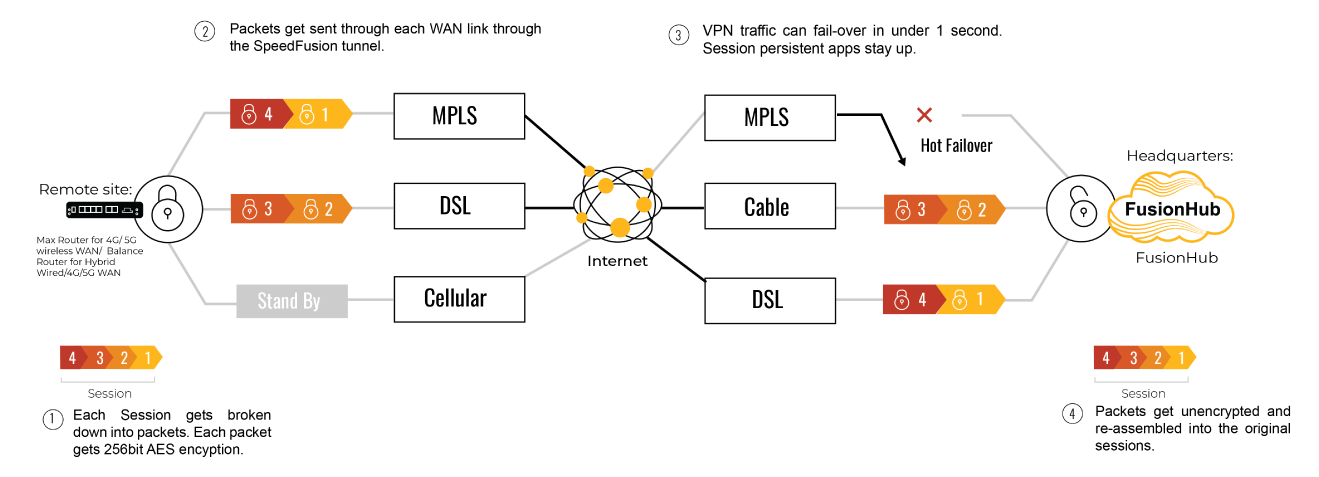
Peplink's patented networking technology can use multiple suitable WAN connections – 5G, LTE, Starlink, fibre or DSL – within a shared VPN tunnel. Bandwidth Bonding, WAN Smoothing and Hot Failover serve different purposes: more usable bandwidth, reduced impact of packet loss and preservation of ongoing sessions when a link fails.
VPN
Failover within the tunnel
Definition: SpeedFusion can use multiple WAN sources within a shared VPN tunnel. This overview explains three core functions: Bandwidth Bonding, WAN Smoothing and Hot Failover.
Core function 1
Bandwidth Bonding – Use bandwidth from multiple WANs
Bandwidth Bonding distributes data packets across multiple suitable internet connections within a shared SpeedFusion tunnel. This allows even a single session to use bandwidth from multiple WANs. Usable throughput is not simply the sum of the connection speeds: tunnel overhead, latency differences, packet loss, the router and the remote endpoint all affect the result.
Official Peplink visualisation
Bandwidth Bonding can increase usable throughput through multiple WAN connections; the result depends on the connections involved and the tunnel.
Typical deployment scenariosUpload-intensive applications, live streaming, media production, temporary sites such as construction sites or events.
Core function 2
WAN Smoothing – Reduce packet loss and jitter
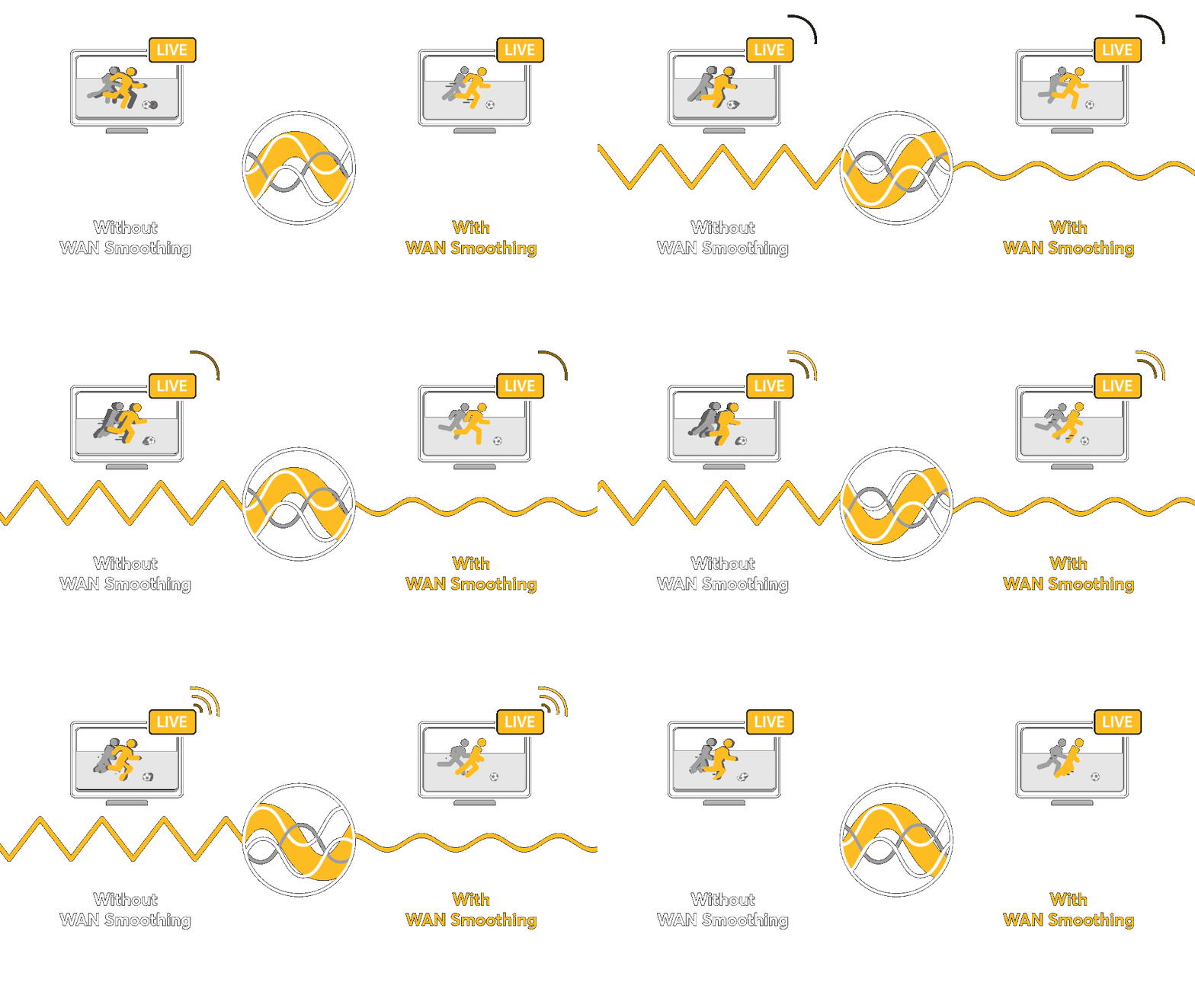
WAN Smoothing sends redundant data packets over the connections selected in the profile. If a packet copy arrives in time, it can compensate for a lost or delayed packet. This can reduce the impact of packet loss and jitter on real-time applications, but consumes additional bandwidth. Its effectiveness depends on link quality and configuration.
Official Peplink visualisation
WAN Smoothing sends redundant packets and can reduce stuttering caused by packet loss.
Typical deployment scenariosVideo conferencing, VoIP telephony, remote desktop, telemedicine and unstable cellular or satellite connections.
Core function 3
Hot Failover – Maintain sessions when a link fails
Hot Failover keeps tunnel paths available across multiple WAN connections and can move traffic to the remaining suitable paths if a link fails. Ongoing sessions can be preserved if the router, remote endpoint and at least one WAN path with sufficient capacity remain reachable and correctly configured. This does not guarantee uninterrupted or loss-free operation.
Standard failover
With conventional WAN failover, detection and switchover can take time. Depending on the configuration, the public IP address may change; ongoing sessions may disconnect.
Peplink Hot Failover
Within the SpeedFusion tunnel, switching to an available WAN path can preserve ongoing sessions. No universal switchover time is promised.
Typical deployment scenariosPOS systems, VPN connections, telemedicine, till systems, business-critical cloud applications.
Comparing the three core functions
| Function |
Optimised for |
Benefit |
| Bandwidth Bonding |
Throughput & Speed |
Bandwidth from multiple WANs, minus overhead |
| WAN Smoothing |
Real-Time Performance & Stability |
Reduce the impact of jitter and packet loss |
| Hot Failover |
Resilience |
Preserve sessions over remaining tunnel paths |
For a clearer distinction: Difference between failover and bonding.
SpeedFusion requirements and limitations
Bonding and Hot Failover require multiple suitable WAN connections and a reachable SpeedFusion remote endpoint: for example, a compatible Peplink router, a FusionHub instance or a SpeedFusion Connect endpoint. SpeedFusion VPN alone does not combine bandwidth from multiple WANs. The available functions depend on the model, hardware generation, firmware, licence and, where applicable, Care or service plan.
The remaining WAN paths must still be able to support the application; routers, end devices and the remote endpoint require power and working connections. Bonding cannot eliminate common causes of failure, lack of network coverage or failure of all paths. Tunnel overhead, latency differences, packet loss and additional data usage from Smoothing affect usable performance; tariff and service limits must also be checked.
Practical Examples
Typical use cases with Peplink + SpeedFusion – click a tile for details and model examples. The examples do not guarantee current availability or all functions; the model generation, licence, remote endpoint and specific requirements must be checked in each case.
Data centres
In data centres, SpeedFusion can use multiple suitable internet connections for redundant WAN connectivity. Hot Failover can preserve active sessions if a connection fails, provided a suitable path and the remote endpoint remain reachable. Disaster recovery and multi-site replication also require planning for bandwidth, latency and the respective recovery strategy.
Functions usedHot Failover, Bandwidth Bonding, VPN tunnel
Example modelsBalance 580X, Balance 710
Branch networks
SpeedFusion VPN can connect branches via a shared tunnel. With supported and configured Hot Failover, POS systems and VoIP sessions can survive a connection failure via remaining paths. WAN Smoothing can mitigate the effects of packet loss and jitter; voice quality and session continuity remain dependent on network quality, the remote endpoint and the application.
Functions usedSpeedFusion VPN, Hot Failover, WAN Smoothing
Example modelsBalance 310X, B One 5G, MAX BR1 Pro 5G
Enterprise Branch
At business sites, Hot Failover can preserve VPN sessions if a connection fails, provided a suitable tunnel path and the remote endpoint remain reachable. Bandwidth Bonding can also use multiple WAN sources. The specific mix of connections, router, licences and application requirements determine achievable performance; this does not constitute a general promise of freedom from outages or loss.
Functions usedHot Failover, SpeedFusion VPN, Bandwidth Bonding
Example modelsBalance 310X, Balance 580X, B One 5G
Mobile Internet
In mobile vehicles and command centres, multiple suitable LTE/5G connections can be used with SpeedFusion. Bonding, Smoothing and Hot Failover can make connectivity more resilient when network quality varies, but cannot replace network coverage. At least one usable path, a reachable remote endpoint, suitable antennas and an appropriate power supply are still required.
Functions usedBandwidth Bonding, WAN Smoothing, Hot Failover
Example modelsMAX Transit Duo, MAX BR2 Pro, MAX BR1 Pro 5G
Retail
POS systems and payment terminals need reliable connectivity. If the primary connection fails, Hot Failover can switch to a remaining tunnel path and preserve active sessions. Whether a transaction can continue also depends on the payment service, terminal, remote endpoint and quality of the alternative path; uninterrupted transactions are not guaranteed.
Functions usedHot Failover, SpeedFusion VPN
Example modelsB One, MAX BR1 Mini 5G, Balance 310X
Live HD Video
Professional HD/4K live streaming requires sufficient usable upload bandwidth and suitable latency. Bandwidth Bonding can use multiple suitable WANs; WAN Smoothing can reduce the effects of packet loss through additional packet redundancy. Resolution, bitrate, network quality and the remote endpoint must be sized together; smooth streaming is not universally guaranteed.
Functions usedBandwidth Bonding, WAN Smoothing
Example modelsMAX Transit Duo Pro, MAX BR2 Pro 5G, MBX 5G
Peplink routers and SpeedFusion endpoints
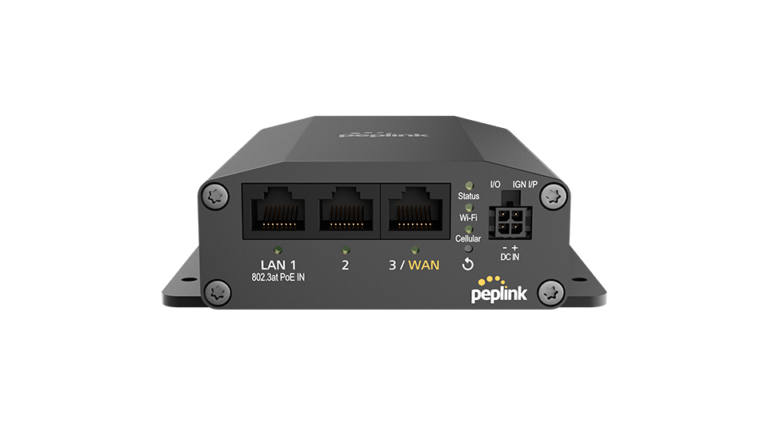
Mobile routers (MAX) – MAX BR1 Pro 5G, MAX BR2 Pro, MAX Transit Duo
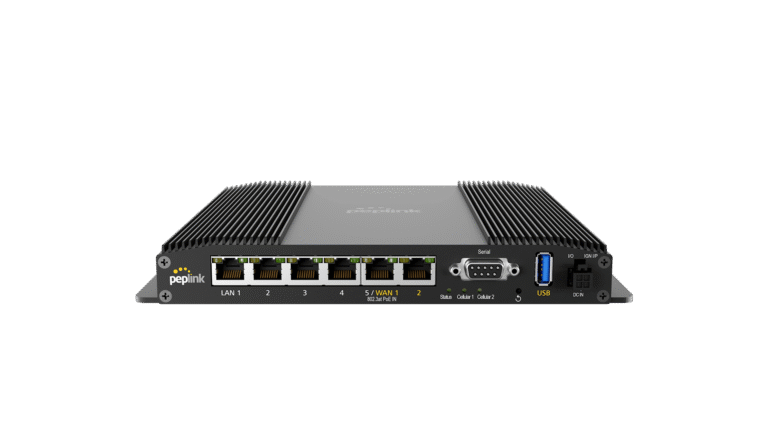
Enterprise (Balance) – Balance 310X, Balance 580X, Balance 710
Branch routers (B One) – B One, B One 5G
Virtual and cloud endpoints – FusionHub (VM), SpeedFusion Connect (formerly SpeedFusion Cloud)
The routers listed are example models, including older generations. Which SpeedFusion functions are available must be checked against the specific hardware and licence. FusionHub is a virtual appliance; SpeedFusion Connect provides cloud endpoints, not local WAN connections. Peplink advice for your SpeedFusion configuration.
SpeedFusion for your business?
We advise you on a suitable SpeedFusion configuration – considering WAN connections, routers, the remote endpoint and operation. For a managed connectivity solution, we offer advice on connecting.works GO.