PEPLINK · ENTERPRISE MULTI-WAN

Peplink Balance 580X.
Take control of your connections.

A powerful network hub for multiple connections and sites. Plan fibre, satellite and cellular connections as a coherent architecture with SpeedFusion, configurable Multi-Gig ports and integrated PoE++.

Advice and solution planning from wirelessmaxx · Hardware available in the shop

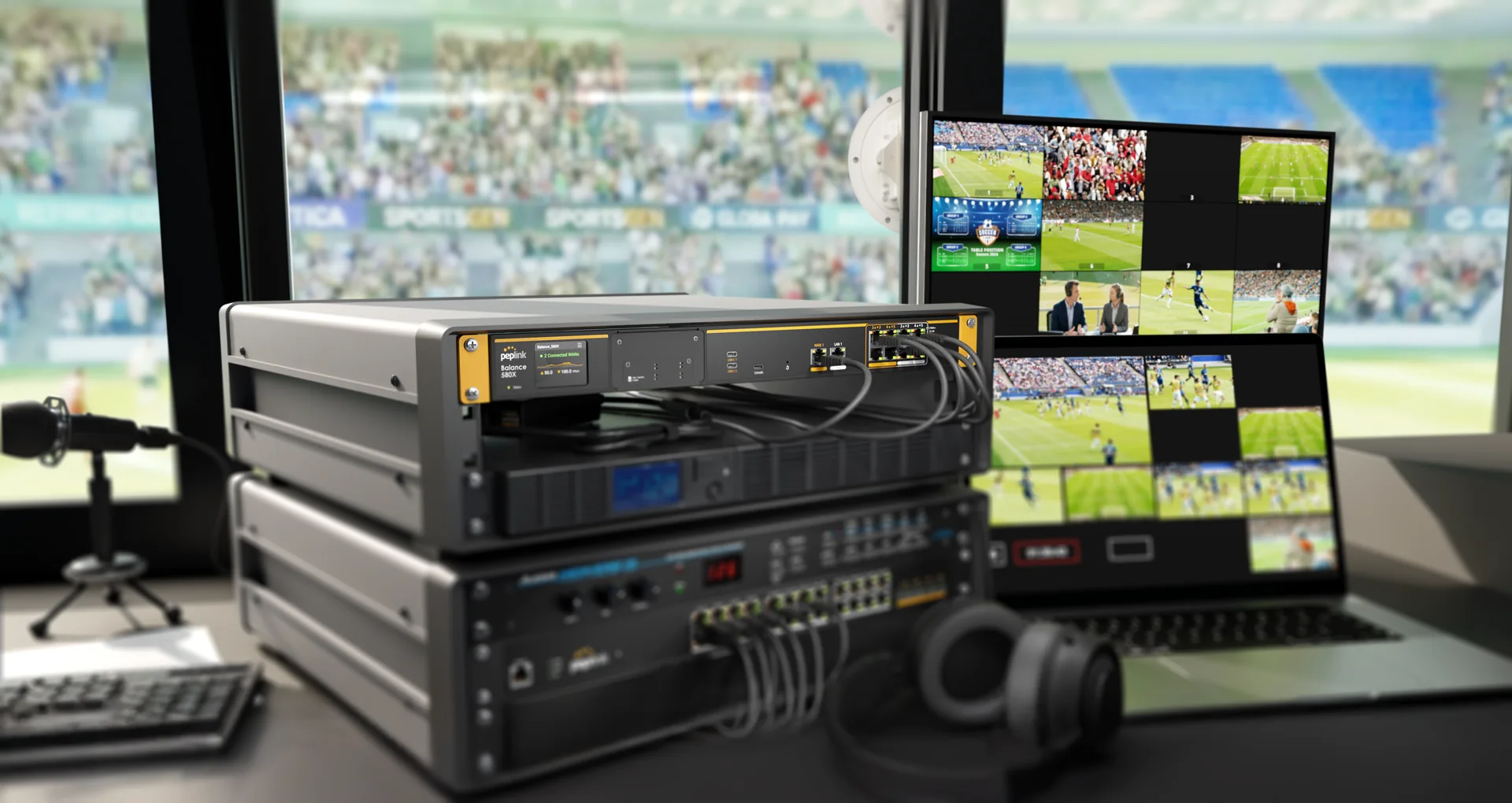
Peplink Balance 580X in a control room – manufacturer image
Peplink manufacturer image · Balance 580X
8 GbpsRouting throughput
1 GbpsSpeedFusion VPN
720 WPoE++ budget

Manufacturer figures; actual performance and available features depend on configuration, modules and licences.

FEATURES · ORIGINAL PEPLINK ICONS

Six building blocks. One network architecture.

The feature icons come from the official Peplink 580X page. The guidance here focuses on your site and operational requirements.

Original Peplink icon: 1 Gbps SpeedFusion
SpeedFusion

Combine your connections.

Bonding, Hot Failover and Smoothing are available for suitable Multi-WAN scenarios. The manufacturer specifies up to 1 Gbps SpeedFusion VPN throughput.

Understand SpeedFusion
Original Peplink icon: PoE++
802.3bt Type 4

Power devices directly.

Eight PoE++ ports with a total 720 W budget support suitable access points, cameras and other network devices, subject to power planning.

View hardware
Original Peplink icon: 10G Multi-Gig port
Multi-Gig

Performance at your site.

10GE WAN and 10GE LAN, along with 2.5GE ports, give demanding sites flexibility for uplinks and local devices.

Technical specifications
Original Peplink icon: configurable as WAN or LAN
WAN / LAN

Assign ports to suit your network.

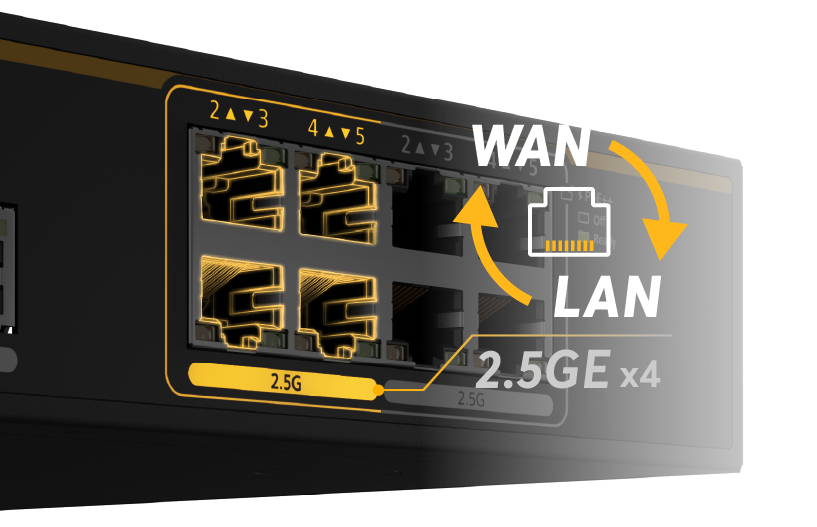
Four 2.5GE ports can be configured as WAN or LAN. Connections, redundancy and end devices determine which topology makes sense.

View port layout
Original Peplink icon: central management in InControl
InControl 2

View your sites centrally.

Peplink devices, access points and switches can be managed centrally. Operations and responsibilities form part of the overall network plan.

Assess suitability
Original Peplink icon: local network management
On site

Manage your network locally.

When needed, on-site management through the router interface remains available as a complement to central management.

Implementation questions

ARCHITECTURE RATHER THAN A STANDALONE DEVICE

The 580X becomes part of your solution.

The hardware is the hub. What matters is the connectivity, operational processes and support channels behind it. More on connection planning, integration and coordinated support: Internet connections with connecting.works GO.

01 · REDUNDANCY

Fibre, Starlink and cellular.

Independent access technologies can improve a site’s resilience. For Starlink terminals, we include the appropriate plan and service package in the planning; we do not offer a terminal on its own.

Starlink Business & tariffs
02 · SITES

Multiple networks. One concept.

VPN, WAN priorities and central monitoring are aligned with the number of sites, applications and continuity requirements. No blanket guarantee of uninterrupted operation or compliance is made.

Explore the Balance series
03 · OPERATIONS

PoE, 5G and Edge.

PoE end devices and an optional FlexModule Mini can be included in hardware planning. The module, licence and SIM solution must be checked separately.

Discuss configuration

PORTS & EXPANSION

Configurable within defined limits.

The choice of access ports and modules determines which combination can actually be used at your site.

Official Peplink graphic: four 2.5GE ports configurable as WAN or LAN
WAN OR LAN

Port roles follow your network design.

Four 2.5GE Multi-Gig Ethernet ports are configurable. Additional dedicated LAN ports, 10GE connections and PoE++ provide room for uplinks, switches and end devices.

Peplink specifies up to 8 Gbps routing and a 720 W PoE budget. Capacity, power consumption and the required network components must be planned for each project.

OPTIONAL MODULE

Add cellular where it makes sense.

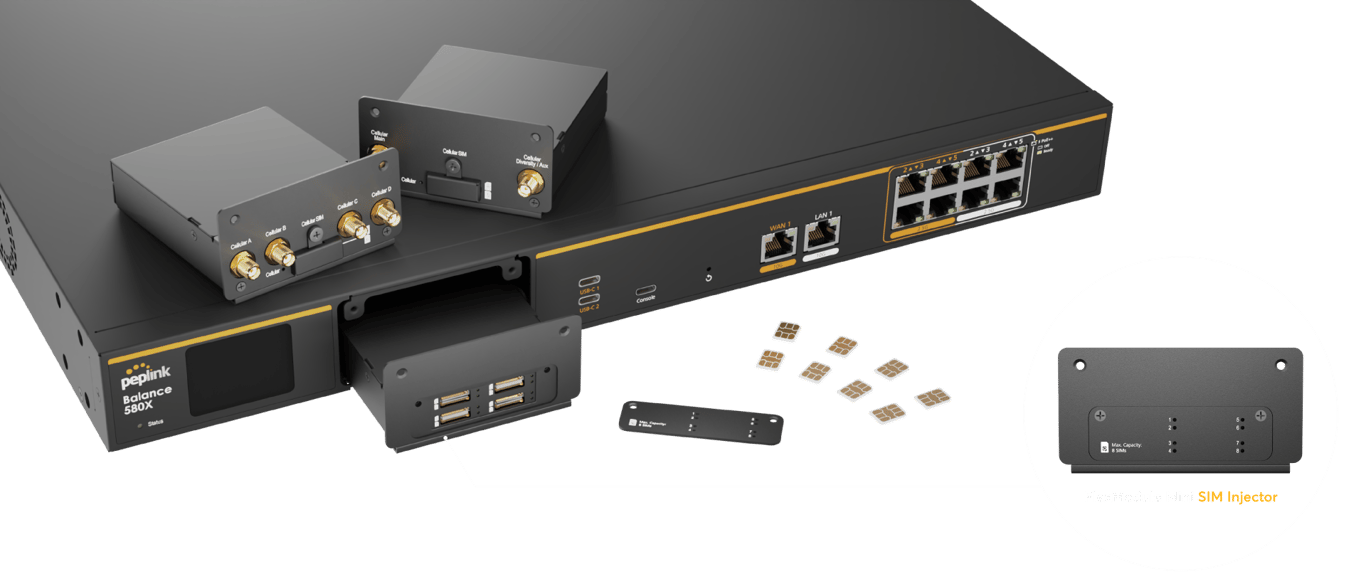
The FlexModule Mini slot supports compatible 5G/LTE modules or a SIM Injector. Modules are not automatically included with the router and are selected separately.

This can provide an additional physical transmission path, depending on coverage, the antenna solution and the cellular plan.

Original Peplink FlexModule Mini illustration for Balance 580X

MANUFACTURER SPECIFICATIONS · BALANCE 580X

Peplink Balance 580X technical specifications

Extract from the official Peplink data sheet. For procurement, check the specific hardware revision and the licence and module options offered.

Peplink Balance 580X key technical specifications
Routing throughputup to 8 Gbps
SpeedFusion VPN (AES-256)up to 1 Gbps
WAN interfaces1 × 10GE, 4 × 2.5GE (configurable as WAN/LAN), 2 × USB-C; mobile connectivity with a compatible optional FlexModule Mini
LAN interfaces1 × 10GE, 4 × 2.5GE plus assigned WAN/LAN ports
PoE++8 × 802.3bt Type 4, up to 720 W in total
SpeedFusion peers100 as standard; 300 or 500 with an optional licence
ManagementInControl 2 and local web interface
Edge ComputingDocker; 8 GB internal storage, external storage via USB
Form factor1U, 440 × 310 × 44 mm

DECISION GUIDE

Frequently asked questions about the 580X.

Can Starlink be integrated as an additional WAN connection?

In principle, yes, provided the terminal, Ethernet connection and network configuration are suitable. We plan the Starlink terminal, plan and service as a package; integration and the failover strategy are tailored to the site.

Is uninterrupted failover guaranteed?

Peplink offers SpeedFusion Hot Failover, Bonding and Smoothing. Their effect depends on active connections, the remote endpoint, network path, licences and application. We cannot promise a fixed switchover time or an uninterrupted session without a test setup.

What is the difference between bonding and failover?

Failover moves connections to another access path when an outage or quality problem occurs. Bonding combines suitable WAN connections through SpeedFusion; achievable speed and stability depend on the networks and configuration.

Is the router alone sufficient for NIS2 requirements?

No. Multiple physically separate transmission paths can contribute to resilience. However, NIS2 and other compliance requirements concern processes, risks, documentation and the entire operating environment, not just a single device.

Which additional modules and licences are needed?

A compatible FlexModule Mini for 5G/LTE or a SIM Injector is selected separately. According to the manufacturer, optional licences are required for more than 100 SpeedFusion peers. Check the appropriate hardware revision and what is included before ordering.

WIRELESSMAXX · ADVICE & ESTORE

The device is the starting point. The architecture makes the difference.

We assist with WAN design, Starlink package advice, cellular options and operations. You can then select the specific Balance 580X as a hardware product in the shop.