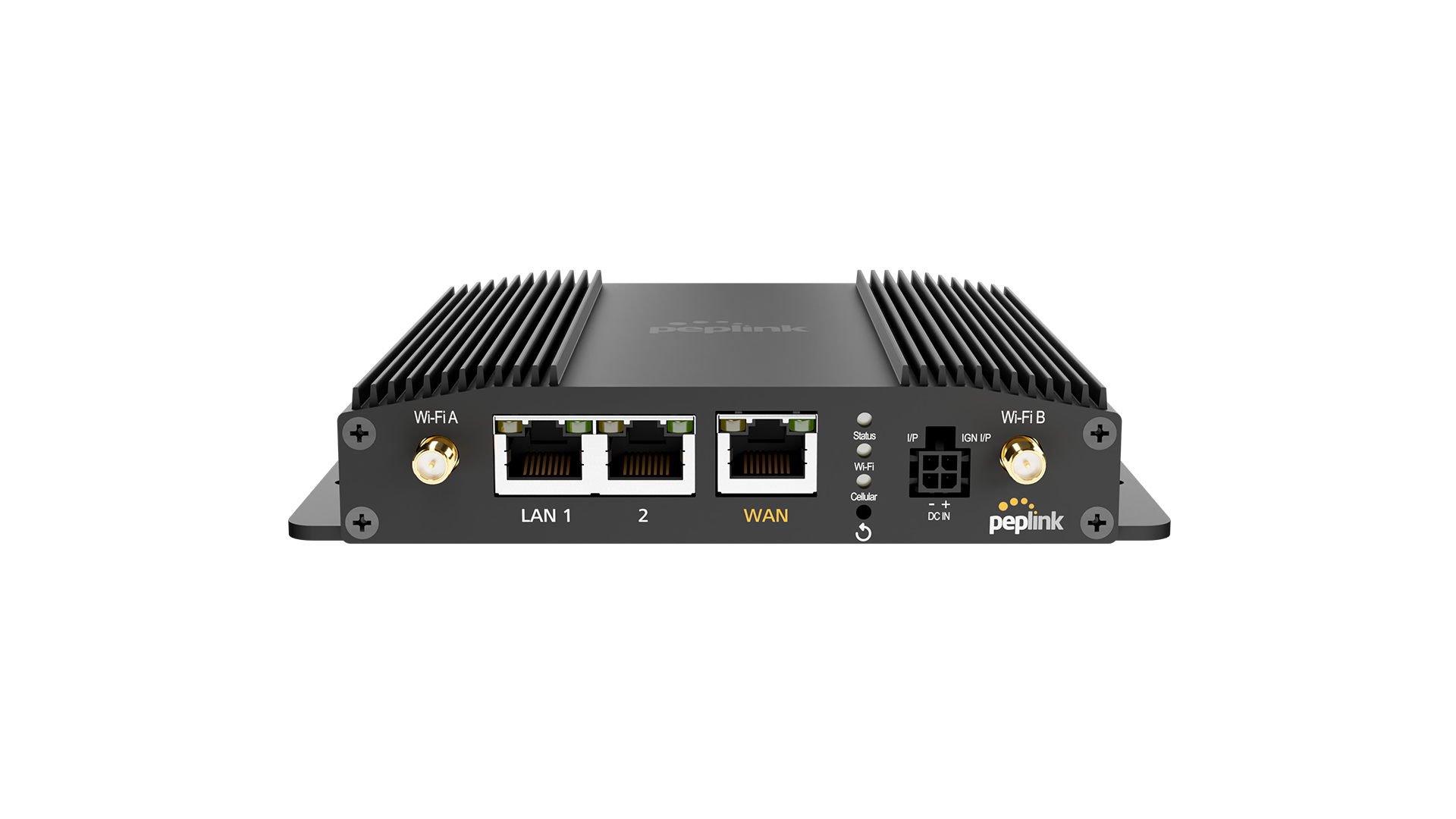
Peplink MAX BR1 Pro 5G – Mobile Router

Peplink MAX series: mobile routers for vehicles, construction sites and critical operations

PEPLINK · MOBILE CONNECTIVITY

A network that travels with your operations.

MAX routers are designed for connectivity where a fixed connection is unavailable or serves only as a backup, or where vehicles and operations move between locations. The BR series starts with compact models; other mobile routers address more demanding radio, connectivity and operational requirements.

This page helps you choose a device class. The specific 5G generation, region, antennas and available shop variant are determined on the model page or during consultation.

Peplink MAX BR1 Pro 5G as an example of a mobile router
WHAT SETS MAX APART

Cellular is one connection option. Architecture makes the difference.

Peplink groups BR and Transit under Mobile Routers. For vehicles, branch backup, IoT and remote teams, radio specifications are not the only consideration: antenna position, power supply, WAN switching and central monitoring are part of the planning. Depending on the model, SpeedFusion can be integrated for Hot Failover, Smoothing or Bonding; functionality and operation require suitable endpoints and licences.

Important: BR1 and BR2 denote different radio architectures. Transit and Enterprise Mobility are other groups, not interchangeable BR variants. For a primarily fixed business site, also compare the Balance series.

MODEL OVERVIEW

MAX BR1 Mini, BR1 Pro 5G and BR2 Pro compared

Shop listings vary by cellular generation and region code. A category link deliberately does not promise a specific SKU.

Peplink MAX BR1 Pro 5G router, perspective view
PROFESSIONAL 5G

MAX BR1 Pro 5G

For mobile and distributed locations that need a capable single cellular connection. When checking shop listings, do not treat the 5GN and 5GK generations as equivalent.

Peplink MAX BR2 Pro router, front view
TWO CELLULAR PATHS

MAX BR2 Pro

For applications where two cellular connections are part of resilience or bandwidth planning. The specific product and region code identifies the 5G variant.

FROM APPLICATION TO SYSTEM

Three questions before choosing a product.

01 / LOCATION

Fixed, mobile or changing locations?

A branch office, a vehicle and an operations command post place different demands on the enclosure, installation, power supply and antennas.

Internet in vehicles →
02 / CELLULAR

One or two cellular connections?

BR1 and BR2 require different connectivity planning. Two modems do not automatically replace a carefully planned provider and antenna strategy.

Discuss your cellular setup →
03 / OPERATION

Backup or a permanent WAN connection?

Failover, bonding, site management and service scope need to be specified separately for the application and selected hardware.

Understand SpeedFusion →
WIRELESSMAXX · MOBILE & CONNECTED

The right cellular setup starts with your application.

We review the model generation, antennas, providers and operating approach before a specific variant is ordered.

BRIEFLY EXPLAINED

Questions about the MAX series.

Is every MAX router designed for vehicles?

No. Depending on the model, BR devices can also suit branch backup or fixed locations where connectivity is difficult to provide. Installation and power requirements must be checked separately.

Is BR2 simply a faster BR1?

No. Two cellular paths, and their antenna, SIM and provider planning, change the architecture; generations and variants also differ.

Does a mobile router replace a Starlink connection?

Not necessarily. Cellular and satellite connectivity can complement each other in a hybrid setup. The WAN interfaces and failure scenario must be compatible.

Where can I find specific prices?

In the shop, under the relevant product or in the MAX collection. Not every manufacturer or regional variant is automatically offered there.

Manufacturer references: Peplink Mobile Routers · MAX BR1 Pro 5G. Variants and availability for purchase depend on the product actually offered in the shop.